OpenAI API Key Security for Business
Learn how to protect OpenAI API keys with project separation, secure storage, permissions, monitoring, rotation, and incident response.
An OpenAI API key authenticates requests to the OpenAI API. If leaked or shared broadly, it can permit unauthorized use, create charges, consume limits, and obscure which person or application was responsible.
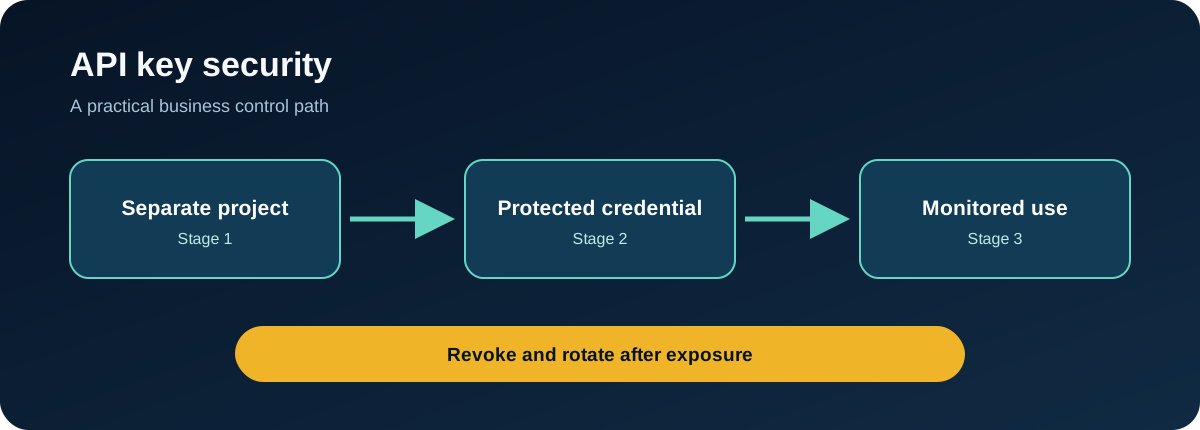
OpenAI's API key safety guidance advises teams to use unique keys, keep keys out of client-side applications and repositories, monitor usage, and rotate exposed credentials. Projects add a useful business boundary for separating members, environments, usage, rate limits, and spend controls.
What the key does
OpenAI’s API uses Bearer authentication. The key should be sent by a trusted server-side application, not delivered to an end user’s browser or mobile device.
The API key authenticates the caller. Your own application must still decide which user is allowed to submit data, use a model, access a tool, or receive a result.
Common risks
- a key committed to a public or private repository
- a production secret bundled into client-side code
- one personal key shared across a team
- development and production traffic mixed together
- credentials copied into tickets, chat messages, or prompts
- unexpected usage detected after cost has increased
- an old integration retaining access after retirement
Use projects as security boundaries
Create separate projects for major applications and for development, staging, and production. Assign only the required members and generate distinct credentials.
This supports:
- clearer ownership
- isolated usage reporting
- separate rate and spend controls
- safer environment changes
- faster containment when one credential is exposed
Project separation is not a substitute for secure key storage, but it reduces the reach of each key.
A secure key lifecycle
Create and record
Name the project, workload, owner, environment, expected usage, and review date. Avoid creating keys with no documented purpose.
Store
Use a secrets manager or protected deployment variable. Keep the value out of repositories, container images, browser code, logs, and documents.
Use
Call the API from a controlled backend. Authenticate your own users, validate inputs, apply rate limits, and restrict models and features according to the use case.
Monitor
Review usage by project. Alert on unusual cost, request volume, errors, geography where available, or traffic from a retired workload.
Rotate and revoke
Test replacement before revoking an active production key. Revoke unknown, unused, shared, former-vendor, and exposed credentials.
What to do after exposure
- Revoke the key.
- Create a replacement in the correct project.
- Update the workload through the approved secret store.
- Review usage, cost, and application records for the exposure window.
- Search repositories, build artifacts, logs, tickets, and documentation for copies.
- Assess whether unauthorized requests involved sensitive business data.
- Correct the root cause and document the incident.
If the key was committed to Git, removing it from the current file does not remove it from repository history.
Review checklist
- Are personal keys excluded from shared production services?
- Are projects separated by application and environment?
- Does every key have an owner?
- Are keys stored only in approved secret systems?
- Are browser and mobile clients prevented from receiving keys?
- Are usage and spend alerts active?
- Are unused keys reviewed and revoked?
- Can the team rotate a production key quickly?
FAQ
Can teammates share one OpenAI API key?
OpenAI advises against sharing personal keys and recommends project-based API keys for collaboration and attribution.
Can an OpenAI API key be stored in frontend code?
No private production key should be sent to a browser or mobile application. Route requests through a controlled backend.
What is the first step after an API key leak?
Revoke the exposed key, then investigate usage and replace it through the approved secret-management process.
Replace shared keys with controlled projects
Inventory current keys, map each to a project and workload, then remove personal and unknown credentials from production. Add usage and spend alerts before expanding API access.
Put this control into practice
Start with one AI workflow that handles sensitive, operational, or client information. Document its tool permissions, approval gates, and action logging. Test the process with a normal request, an unsafe request, and an error case before expanding its use.
QuantM helps Canadian SMBs connect AI governance with identity, Microsoft 365, cybersecurity, and documented business controls. If your team needs a practical baseline, an AI and Cyber Governance Diagnostic can identify the first control gaps to address.
Related AI security guides
- Securing AI Agents: A Practical Business Control Framework
- Least Privilege for AI Agents: Give Access by Task, Not Convenience
- AI Data Loss Prevention for Businesses Using Generative AI
- AI Model Integrity Verification: Proving the Right Model Is Running