What Is Prompt Injection? A Business Guide
Understand how untrusted content can influence business AI systems, and the controls that limit the impact.
Prompt injection is an attempt to make an AI system follow instructions it should not follow. The risky instruction may come from a user, but it can also be hidden in an email, document, web page, or other content the AI is asked to read.
For a business, the concern is not simply that an AI assistant gives an odd answer. The concern is what the assistant can access and do after it encounters untrusted content. If it can read client files, search email, access a shared knowledge base, or call connected tools, a manipulated response can create a client-data, operational, or trust problem.
How prompt injection enters a business workflow
Picture a team member asking an AI assistant to summarise a vendor email, review a client document, or research a website. The content may contain language designed to influence the AI, such as an instruction to ignore its normal rules, reveal information, or take an unrelated action.
The employee did not intend to give that instruction. The AI encountered it while processing data from a source that should not have authority over the workflow.
This is why prompt injection matters most when AI is connected to business systems. An AI assistant that only produces a draft still needs oversight. An assistant that can retrieve files, send an email, update a record, or trigger a workflow needs clear limits around permissions and approval.
OpenAI describes prompt injection as a social-engineering attack against conversational AI, where third-party content attempts to mislead the model. Google has also highlighted indirect prompt injection as a security concern when AI systems interact with content from the web. OpenAI, Google Security Blog
Why a good prompt is not enough
| Injection path | Example source | Control focus |
|---|---|---|
| Direct | A user prompt | Input handling and restricted actions |
| Indirect | A document, webpage, or email | Treat retrieved content as untrusted data |
| Tool-mediated | Content that influences a connected action | Scoped permissions and human approval |
Teams often respond by adding a stronger system prompt or telling employees to be careful. Those are useful habits, but they are not complete controls.
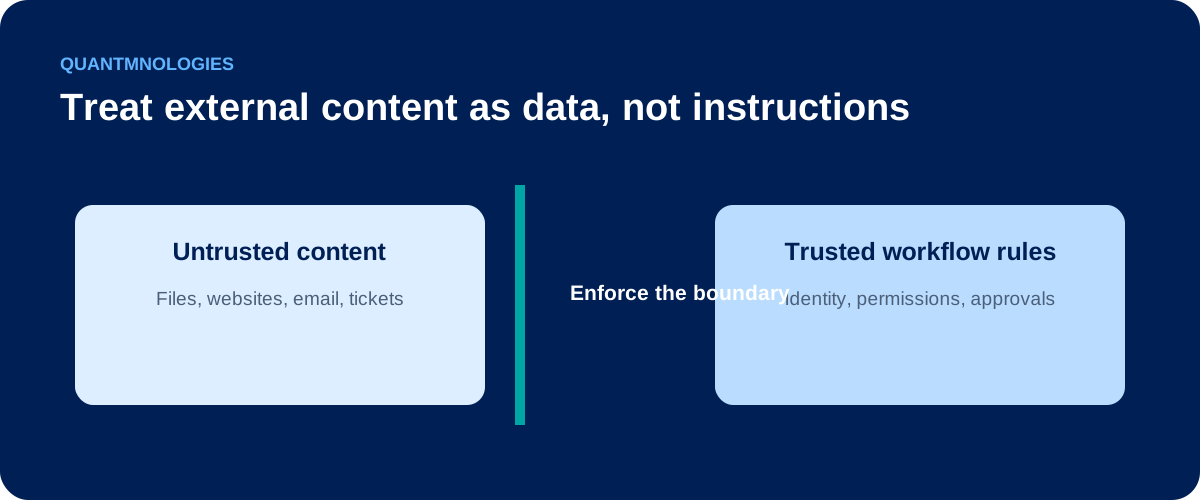
An AI system cannot always perfectly separate trusted instructions from untrusted data. That is especially true when it is asked to process large volumes of email, documents, or web content. A safer approach assumes that any external content can be untrusted, then limits what the AI can access and what it can do with the result.
The business question is simple: if the AI misunderstood a malicious instruction, what is the maximum harm it could cause?
Five controls that reduce exposure
1. Separate trusted requests from content the AI is reading
Treat an employee's request differently from an email, document, website, or retrieved record. Do not allow content being summarised to automatically become an instruction for the AI.
2. Give AI the minimum access needed for the task
An assistant that summarises a document does not need permission to search every client folder or change a financial record. Use specific identities, scoped permissions, and limited tool access for each workflow.
3. Require human approval for higher-risk actions
Require a person to approve actions that send external communications, change records, share files, make purchases, or affect access. Human approval should be part of the workflow, not an informal expectation.
4. Limit which sources can feed retrieval or automation
Review the folders, sites, mailboxes, and connectors an AI can use as context. Restrict high-sensitivity sources and decide who is allowed to add content to shared knowledge bases.
5. Log activity and prepare a response path
Keep a record of the sources the AI accessed, tools it attempted to use, actions it took, and approvals it received. If a suspicious pattern appears, the team should know who can disable the connection, review the activity, and document what happened.
Questions leaders should ask before connecting AI to business systems
- What data can this AI read?
- Which people or systems can add content to that data?
- What actions can the AI take without a person approving them?
- Can we see what it accessed and what it attempted to do?
- Who owns the decision to pause or disable the workflow if something looks wrong?
These questions are part of AI governance, not a reason to avoid AI. They help a business use AI with clearer boundaries, better evidence, and less reliance on trust alone.
FAQ
Can prompt injection be fully prevented?
No single measure removes the risk. The practical goal is to reduce the chance that untrusted content influences the AI and to limit the impact if it does.
Is prompt injection the same as a jailbreak?
They are related but different. A jailbreak usually tries to persuade an AI to bypass its safety rules. Prompt injection often involves untrusted content trying to influence an AI system while it processes a task.
Does this matter if employees only use AI for summaries?
Yes. A summary tool can still be exposed to malicious content. The risk becomes more serious when the tool also has access to sensitive data or connected systems.
Put this control into practice
Start with one AI workflow that handles sensitive, operational, or client information. Document its input screening, exception handling, and escalation. Test the process with a normal request, an unsafe request, and an error case before expanding its use.
QuantM helps Canadian SMBs move from AI interest to approved use cases, working tools and workflows, team training, and secure operating practices. Start with a free AI readiness assessment to identify the strongest next move.