Common Ways Ransomware Infects SMB Networks
Map common ransomware entry and movement paths to the identities, endpoints, remote services, suppliers, and controls your business can test.
To discuss how Common Ways Ransomware Infects SMB Networks applies to your systems and responsibilities, contact QuantM Technologies for a scoped conversation.
Entry-path priorities
- Stolen credentials, malicious email, exposed services, unpatched systems, and supplier access are recurring entry paths.
- Initial access matters, but ransomware impact also depends on privilege, lateral movement, monitoring, and recovery design.
- Each path needs an owner, a control, a detection source, and a current test.
How ransomware gets into a small-business network
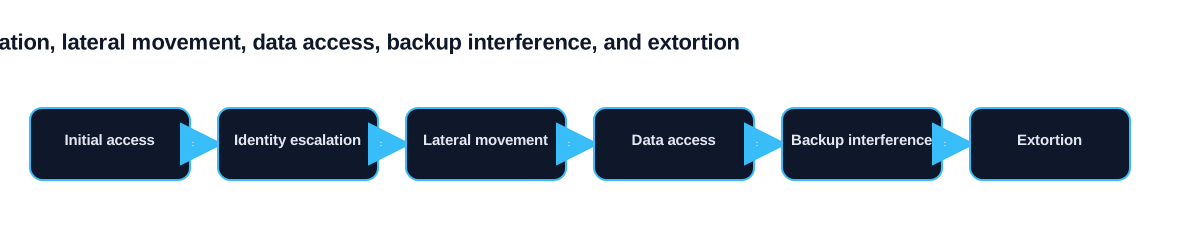
Ransomware does not magically appear on your network. Every ransomware attack begins with an entry point, a vulnerability, a mistake, or a gap in your defenses that the attacker exploits to gain initial access. Once inside, they have the foothold they need to move laterally, escalate privileges, and eventually deploy the ransomware payload.
Common attack paths are well documented, but their relevance depends on the systems and access routes a business actually uses. Mapping those routes makes it possible to prioritize exposed services, privileged identities, suppliers, email, endpoints, and recovery dependencies.
Phishing Emails & Malicious Links
Common phishing tactics include emails with malicious Microsoft Office attachments containing macros that download ransomware, links to credential harvesting pages that steal login credentials used for later network access, reply-chain hijacking where attackers compromise a legitimate email thread and insert malicious content, and business email compromise where the attacker impersonates the CEO or CFO requesting urgent action.
A single employee clicking a single malicious link can give attackers the foothold they need. This is why email security and employee training are two of the most critical defenses against ransomware.
Drive-By Downloads & Fake Software Updates
Drive-by downloads occur when employees visit compromised or malicious websites that automatically download malware without any user interaction beyond visiting the page. Attackers compromise legitimate websites by injecting malicious code, or they create convincing fake websites that mimic popular business tools.
Fake software update prompts are a related tactic. Employees see a popup claiming their browser, Flash Player, or other software needs updating. The "update" is actually ransomware or a backdoor that gives attackers persistent access. These attacks exploit trust in the software update process and are particularly effective against non-technical staff.
Remote Desktop Protocol (RDP) Exploits
Remote Desktop Protocol can become an entry path when it is exposed to the internet or protected by weak, reused, or stolen credentials. Attackers can use scanning, password attacks, credential stuffing, or known vulnerabilities against reachable services.
Valid remote-access credentials can give an attacker the permissions assigned to that account. The attacker may then explore reachable systems, install tools, or prepare deployment while some activity resembles normal administration. Remove unnecessary public exposure, require strong authentication, restrict source devices and locations, and monitor remote sessions. VPN or zero-trust access can help when it is configured, patched, and monitored as part of the full access path.
Third-Party Vendor / Supply Chain Risks
A supplier with privileged access can become an entry path when its account, management platform, or support process is compromised. Record which vendors can reach the environment, how they authenticate, what systems they can administer, and how access can be revoked. Review logs and emergency contacts for high-impact suppliers instead of assuming that a trusted connection is inherently safe.
Supply chain attacks are particularly dangerous because the malicious activity comes through trusted channels. Your security tools may not flag it because it appears to be normal vendor access. SMBs should audit all third-party access, implement least-privilege principles for vendor accounts, and require security certifications from critical vendors.
Human Error & Insider Threats
Human error is a factor in the majority of ransomware infections. This includes clicking phishing links, using weak or reused passwords, disabling security tools that interfere with productivity, connecting personal devices to the corporate network, sharing credentials with colleagues, and failing to report suspicious activity.
Insider threats, whether malicious or negligent, also contribute to ransomware risk. A disgruntled employee may deliberately introduce malware or share access credentials. More commonly, well-meaning employees inadvertently create vulnerabilities through shadow IT, unauthorized cloud services, or workarounds that bypass security controls.
How MDR Monitors These Attack Vectors
Managed Detection and Response services provide 24/7 monitoring across all of these attack vectors simultaneously. MDR monitors email gateways for phishing attempts and malicious attachments, endpoints for suspicious process executions and file modifications, network traffic for unauthorized RDP connections and lateral movement, user behavior for anomalous activity indicating compromised credentials, and third-party connections for unexpected access patterns.
When monitored telemetry shows suspicious activity, an MDR team can investigate, escalate, and take actions that were authorized in advance. The result depends on asset coverage, signal quality, service scope, customer contacts, and response authority. MDR complements prevention and recovery; it does not guarantee that ransomware will be stopped.
Frequently Asked Questions
What is the most common way ransomware spreads?
There is no single answer that applies to every environment or reporting dataset. Stolen credentials, malicious email, exploitation of exposed systems, remote access, and trusted third parties can all provide entry. Review current internet exposure, identity logs, email controls, endpoint coverage, and supplier access to find the paths that matter locally.
Can ransomware spread through Wi-Fi?
Ransomware does not spread through Wi-Fi signals, but it can spread across devices connected to the same network. If one computer on your Wi-Fi network is infected, the ransomware can use network file shares, RDP, and other protocols to reach other connected devices. Network segmentation limits this spread by isolating different parts of your network.
Can you get ransomware from visiting a website?
Yes, through "drive-by downloads." Compromised or malicious websites can exploit browser vulnerabilities to download malware automatically without any user action beyond visiting the page. Keeping browsers and plugins updated, using web filtering, and employing endpoint detection are key defenses.
Trace the infection paths that matter in your environment
Trace attack paths from the first usable access to the systems an intruder could reach next. Review phishing, stolen remote credentials, exposed services, supplier access, and administrative tools against the actual identity, network, and endpoint records. The purpose is to find a breakable chain, not to choose a product from a generic threat list.
Establish ownership and evidence
Identity, messaging, endpoint, network, and supplier owners should each document the part of the path they control. Useful records include sign-in policy, public exposure, endpoint coverage, network reachability, remote-support accounts, and investigation results. Place gaps at the handoff between teams instead of assuming one owner covers the whole route.
Set the assessment boundary before testing. At minimum, include each internet-facing entry point and the systems reachable from it. Dependencies deserve the same attention as the main application. A service may be technically restored yet remain unusable because identity, DNS, network access, encryption keys, or a third-party connection is unavailable.
Measure the result without inventing precision
Time a safe account-containment test from the initial report to session revocation and endpoint isolation. Also record which applications remain accessible, which logs support the decision, and which responder can act outside normal hours. These results show whether a stolen identity can be contained across the actual environment.
Repeat the path review after a new remote-access product, supplier connection, cloud application, or administrator account is introduced. Those changes can create reachability that the earlier test never examined.
Source and next step
- NCSC ransomware infection vectors
- Canadian Centre for Cyber Security, Ransomware threat outlook 2025 to 2027
- PIPEDA section 10.1
- NIST ransomware guidance for small businesses
Map attack paths to specific controls
An attack-path review follows what an intruder could reach after the first compromised account or device. The useful output is not a list of malware names. It is a map of exposed services, identity privileges, trusted connections, management tools, file shares, backup consoles, and the controls that interrupt movement between them.
Evidence to request
Set the first review around one remote-access account and the systems available to it. The identity and network owner should document vendor access, administrative groups, endpoint tools and backup management. That evidence shows what is in scope, who can change it and which failure would affect the business.
| Control point | Current evidence | Common gap |
|---|---|---|
| Email or browser | Message trace, link or file inspection, user report | Filtering is treated as the only control |
| Remote access | MFA policy, exposure scan, sign-in logs and session controls | A password reset leaves active sessions running |
| Exposed software | Asset owner, version, patch record and compensating control | Unknown systems sit outside patch reporting |
| Supplier connection | Named sponsor, permitted systems, schedule and activity logs | Standing access reaches more systems than required |
Run one safe test
The team should revoke the account, terminate its active sessions, isolate its device and confirm that monitoring records each action. Keep the test record with the scope, expected result, actual result, exceptions and named follow-up. Repeat the same test after the fix so leadership can distinguish a completed task from an assumed improvement.
Related guidance covers email delivery controls, network path restrictions, monitored attack signals. These links give the reader a clear next step without turning this page into a second version of the pillar.
Connect the attack-path review to the ransomware protection guide for small businesses so each path has a prevention, detection, response and recovery owner.