Vulnerability Management for SMBs: A Guide
Vulnerability management is the ongoing work of finding, prioritizing, fixing, and verifying security weaknesses before they are exploited.
Vulnerability management is the ongoing process of finding, prioritizing, fixing, and verifying security weaknesses before attackers exploit them. For a small or mid-size business, it turns patching from an occasional IT task into a repeatable risk-management program.
The goal is not to fix every finding at once. The goal is to understand what you own, identify which weaknesses create the greatest business risk, assign the right owner, and verify that the risk was reduced.
Key Takeaways
- Asset inventory is the foundation: you cannot secure devices, applications, and cloud services you do not know about.
- A vulnerability scan identifies potential issues; it does not decide which issue matters most.
- Prioritization should combine exploit evidence, exposure, asset importance, and available fixes.
- Remediation includes patches, configuration changes, compensating controls, and documented risk acceptance.
- Re-scanning and reporting prove that a fix worked and keep the program moving.
Why Vulnerability Management Matters
Businesses rely on software, cloud services, network devices, and third-party tools. Each can have a security weakness caused by a missing update, unsafe configuration, unsupported product, exposed service, or overly broad access.
Attackers often target weaknesses that are already public and have a working exploit. That makes prioritization important. A low-severity issue on an isolated test device is different from a known-exploited weakness on an internet-facing system that handles sensitive information.
The Vulnerability Management Lifecycle
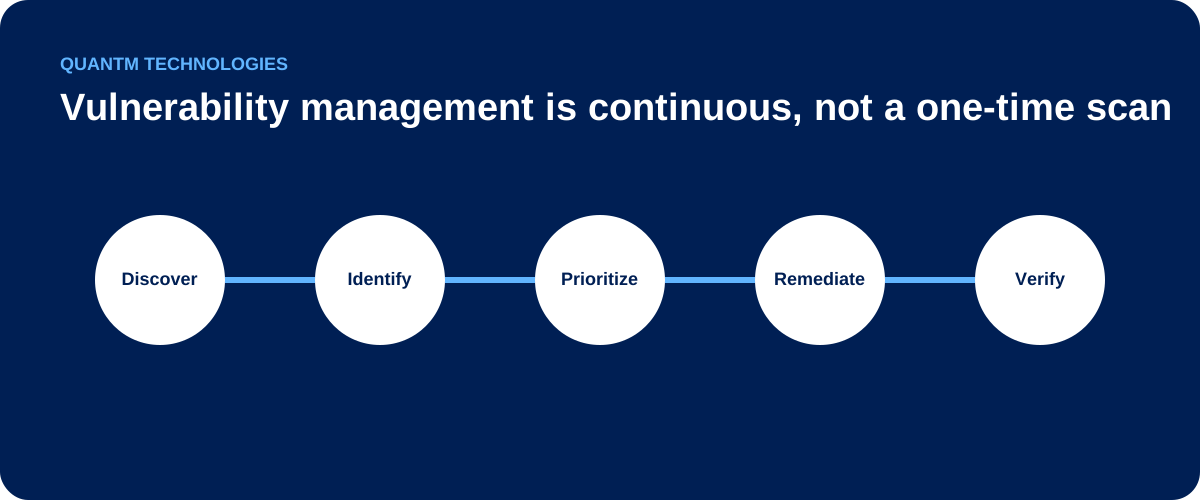
1. Discover and inventory assets
Create and maintain a list of the systems that matter: laptops, servers, cloud accounts, network devices, applications, public websites, SaaS integrations, and remote-access services. Record the system owner, business purpose, location, operating system or service, and whether it is internet-facing.
Discovery should include new devices and services, not only the ones IT already manages. Unknown assets create blind spots.
2. Identify weaknesses
Use authenticated scanning where appropriate, configuration reviews, vendor advisories, and internal reporting to identify missing patches, insecure settings, weak credentials, expired certificates, and unsupported software.
Scanning is evidence collection. Results need review because a scanner may report an issue that is not exploitable in your environment, or miss a system it cannot see.
3. Prioritize by real risk
Use more than a severity number. A practical prioritization decision considers:
| Question | Why it matters |
|---|---|
| Is the vulnerability known to be exploited? | Active exploitation increases urgency. |
| Is the asset exposed to the internet or accessible to many users? | Exposure can make a weakness easier to reach. |
| Does the system hold sensitive data or support a critical operation? | Business impact shapes the response order. |
| Is a patch, workaround, or compensating control available? | A clear mitigation can make fast action possible. |
| Would fixing it disrupt a business process? | Change risk needs planning, testing, and approval. |
Use the OWASP Vulnerability Management Guide as a reference for building this workflow, then adapt the service levels to your business and systems.
4. Remediate or mitigate
Remediation may mean applying a vendor patch, changing a configuration, removing an unnecessary service, upgrading unsupported software, or limiting access until a permanent fix is available.
For each important finding, assign an owner, target date, and expected verification method. If a risk cannot be fixed on time, record who accepted it, why, what compensating control exists, and when the decision will be reviewed.
Avoid blanket exceptions. They turn short-term operational constraints into long-term attack paths.
5. Verify and report
Re-scan or otherwise test the affected system after the change. Confirm that the fix succeeded and that it did not break a business service. Then report the result in business terms: what risk was found, which systems were affected, who owns the remaining work, and when the next review occurs.
Useful measures include critical findings past their target date, time to remediate, asset coverage, internet-facing exposure, and exceptions that are due for review.
For practical next steps, start by identifying common vulnerabilities in SMB networks and the assets they affect. Match assessment frequency to each system with continuous vulnerability management versus periodic scanning, then use vulnerability management metrics and KPIs to keep coverage, urgent exposure, and verification visible.
Use internal versus external vulnerability scanning to choose the observation point, assessment method, and evidence needed for the next review.
Vulnerability Management vs. Patch Management
Patch management is one part of vulnerability management. Patch management focuses on deploying updates. Vulnerability management decides where to look, which risks to address first, how to handle issues without a patch, and how to prove the result.
For example, a scanner may identify an exposed service with a weak configuration. The appropriate fix might be network restriction or configuration change, not a software patch.
A Practical Starting Plan for SMBs
- Identify business-critical systems and their owners.
- Build an inventory of internet-facing systems, remote access, cloud accounts, and administrator tools.
- Establish a recurring scan and vendor-advisory review process.
- Triage known-exploited and internet-facing issues first.
- Set realistic remediation targets based on risk and operational constraints.
- Track exceptions with an owner, expiry date, and compensating control.
- Verify fixes and share a short monthly risk report with leadership.
Start with the assets that could stop the business or expose sensitive information. A small, reliable process is more valuable than a large spreadsheet that no one maintains.
When Managed Vulnerability Management Helps
Managed support can help when an internal team lacks time to maintain asset coverage, interpret findings, coordinate remediation, or produce useful reporting. A good provider should explain what it scans, what it cannot see, how it prioritizes risks, who performs remediation, and how results are verified.
Ask for examples of the reports and escalation process before committing. The value is not a large list of vulnerabilities; it is a documented process that reduces the most important risks.
Read how managed vulnerability management works for SMBs for the questions to use when comparing a provider's coverage, responsibilities, escalation, and evidence.
For how scanning and patching differ and fit together, see Vulnerability Management vs. Patch Management.
Frequently Asked Questions
How often should we scan for vulnerabilities?
The right schedule depends on the systems and their exposure. Internet-facing and business-critical systems usually need more frequent review than isolated, low-risk systems. Also scan after important changes and review urgent vendor advisories as they arise.
Is a high severity score always the top priority?
No. Severity is useful, but an actively exploited vulnerability on an exposed critical system may need attention before a higher-scoring issue on an isolated system. Use both technical and business context.
What if a patch is not available?
Use compensating controls where possible, such as disabling an affected feature, restricting network access, strengthening monitoring, or replacing an unsupported product. Document the decision and set a review date.
Does vulnerability management help with compliance?
Many security frameworks expect an organization to identify and address vulnerabilities. The important outcome is evidence of a repeatable process: inventory, assessment, prioritization, remediation, verification, and review.
Need a clear view of your highest-priority exposures? Talk to QuantM about vulnerability management →